Getting started
Setting up chempleter on your device
You can install Chempleter on your device using uv or pip. See installation instructions.
You can run Chempleter’s GUI without installing via uv:
uvx --from "chempleter[cpu]" chempleter-gui
uvx --from "chempleter[cpu]" chempleter-gui.exe
uvx --from "chempleter[gpu128]" chempleter-gui
uvx --from "chempleter[gpu128]" chempleter-gui.exe
Generating molecules
Chempleter accepts a valid SMILES notation for a molecule/molecular fragment. If an initial input is not provided, chempleter generates a random molecule.
There are four main inference functions:
extend:Description: Takes a starting molecular structure (SMILES or SELFIES) and uses the GRU model to append new atoms and functional groups until a complete molecule larger than the input molecule is formed.
Behaviour: Includes a retry logic. If the model fails to add new atoms (i.e. returns the input), it can either “truncate” the prompt (
alter_prompt, false by default) or randomize the input SMILES (randomise_prompt, true by default) to provide the model with a new prompt based on the input prompt.An example with
Extendfor Benzene(c1ccccc1):
evolve:Description: A wrapper function that calls extend multiple times in a chain. It takes the output of one extension and uses it as the input for the next, effectively “evolving” a small fragment into a complex structure over several steps.
Behaviour: Automates the growth process over a set number of steps (
n_evolve). If the molecule stops growing at any step in the chain, the function halts to prevent redundant processing. Maintains a history of the evolution, returning a list of all intermediate molecules. It is best to start with a small fragment.An example with
Evolvefor Benzene(c1ccccc1):
bridge:Description: Takes two starting molecular fragments (in SMILES notation) and uses the GRU model to predict a bridge between them.
Behaviour: Includes a retry logic. If the generated molecule is same as the input, it will randomise the first fragment.
An example with
Bridgefor a Benzene(c1ccccc1) and Pyridine(c1ccncc1):
decorate:Description: Takes a complete molecule (SMILES) and adds a substituent at a chosen atom index. The method uses the trained model to grow fragments from the selected atom, effectively “decorating” the scaffold.
Behaviour: Validates the molecule and attachment atom, reorders atoms so that the target atom is treated as the growth point, and attempts generative extension. If direct decoration fails or results in no change, it progressively switches to contextual prompting based on the local atomic environment. In the final fallback case, only the attachment atom itself may be used as the prompt, meaning the model no longer conditions on the full molecular context. It then attaches a generated fragment to the specified atom.
An example using
Decorateon pyridine (c1ccncc1) to introduce unconventional substituents: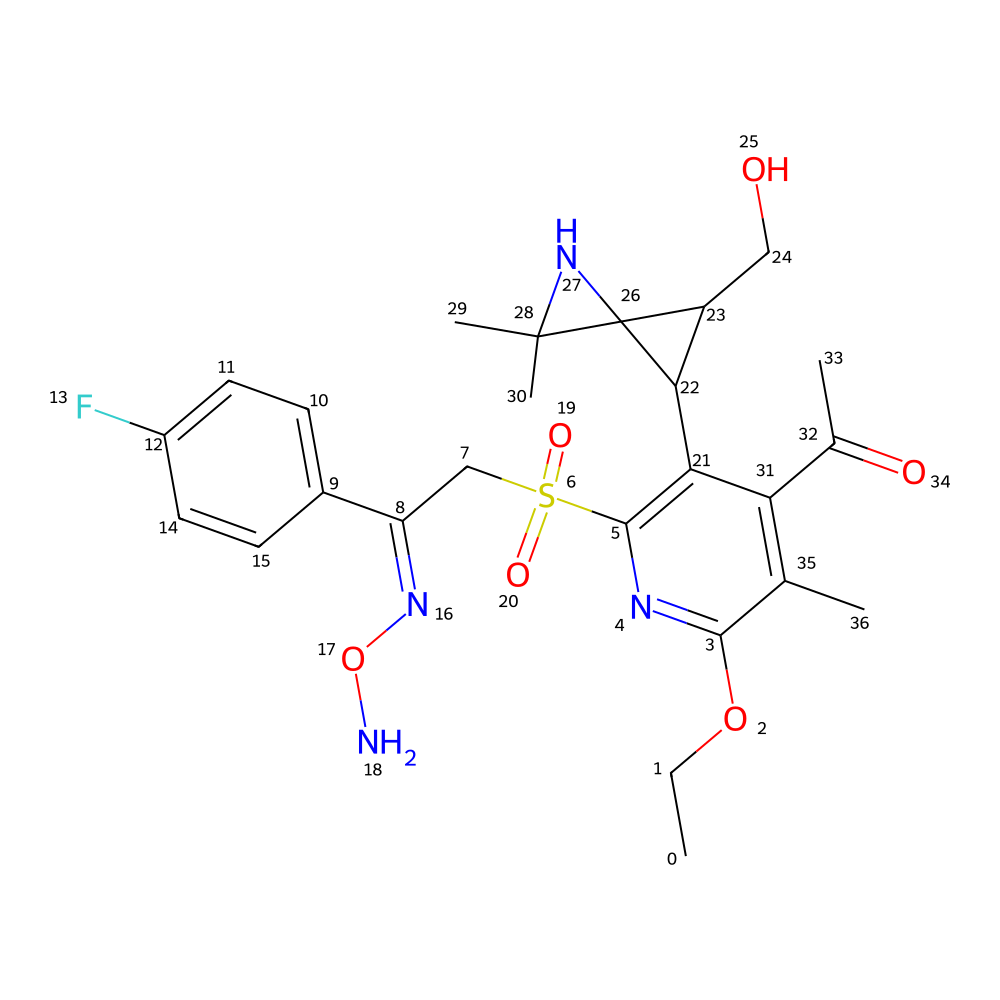
Use the GUI
Type in the SMILES notation for the starting structure or leave it empty to generate random molecules. Click on
GENERATEbutton to generate a molecule.GUI options:
Temperature : Increasing the temperature would result in more unusual molecules, while lower values would generate more common structures.
Sampling : Most probable selects the molecule with the highest likelihood for the given starting structure, producing the same result on repeated generations. Random generates a new molecule each time, while still including the input structure.
Generation type : Extend will ouput a generated molecule which is extended based on the input fragment, while Evolve will ouput multiple generated molecules each based on their previous molecular fragment. Bridge will bridge two molecular fragments.
Use as a Python library
Chempleter can be used programmatically to extend or iteratively evolve molecules.
To extend a molecule once, use
chempleter.inference.extend:from chempleter.inference import extend generated_mol, generated_smiles, generated_selfies = extend( smiles="c1ccccc1" ) print(generated_smiles)
To iteratively evolve a molecule, use
chempleter.inference.evolve:from chempleter.inference import evolve generated_mols, generated_selfies, generated_smiles = evolve( smiles="c1ccccc1", n_evolve=4 )
To iteratively evolve a molecule, use
chempleter.inference.evolve:from chempleter.inference import bridge generated_mol, generated_selfies, generated_smiles = bridge( frag1_smiles="c1ccccc1",frag2_smiles="c1ccncc1") print(generated_smiles)
To decorate a molecule once at a specified atom index, use
chempleter.inference.decorate:from chempleter.inference import decorate generated_mol, generated_smiles, generated_selfies = decorate( smiles="c1cccnc1", atom_idx = 2 ) print(generated_smiles)
Options
Both
extendandevolveaccept several optional arguments to control generation behaviour:model: Preloaded Chempleter model. If omitted, a default trained model is used.stoi_file/itos_file: Paths to token mapping files.selfies: Input SELFIES tokens (overridessmiles).smiles: Input SMILES string to extend or evolve.selfies: Minimum final sequence length.max_len: Maximum number of generated tokens.temperature: Sampling temperature.k: Top-k sampling parameter.next_atom_criteria: Sampling strategy ("greedy","temperature","top_k_temperature", or"random").device: Device to run inference on (e.g."cpu"or CUDA device).alter_prompt: Allow prompt alteration if generation fails.
Additional options for
evolve:n_evolve: Number of evolutionary extension steps.
bridgeaccepts all parameters ofextendexceptselfies,min_len,max_len, andalter_prompt.Both functions return RDKit molecule objects alongside the generated SMILES and SELFIES representations.